ARIA
Arm it. Heat it. Light it. Open the gates. All from your front door.
A clean, functional, always-on panel for the tablet by your front door. Simply install it on that old android tablet or phone you have sitting in a drawer and have it up and running in minutes.
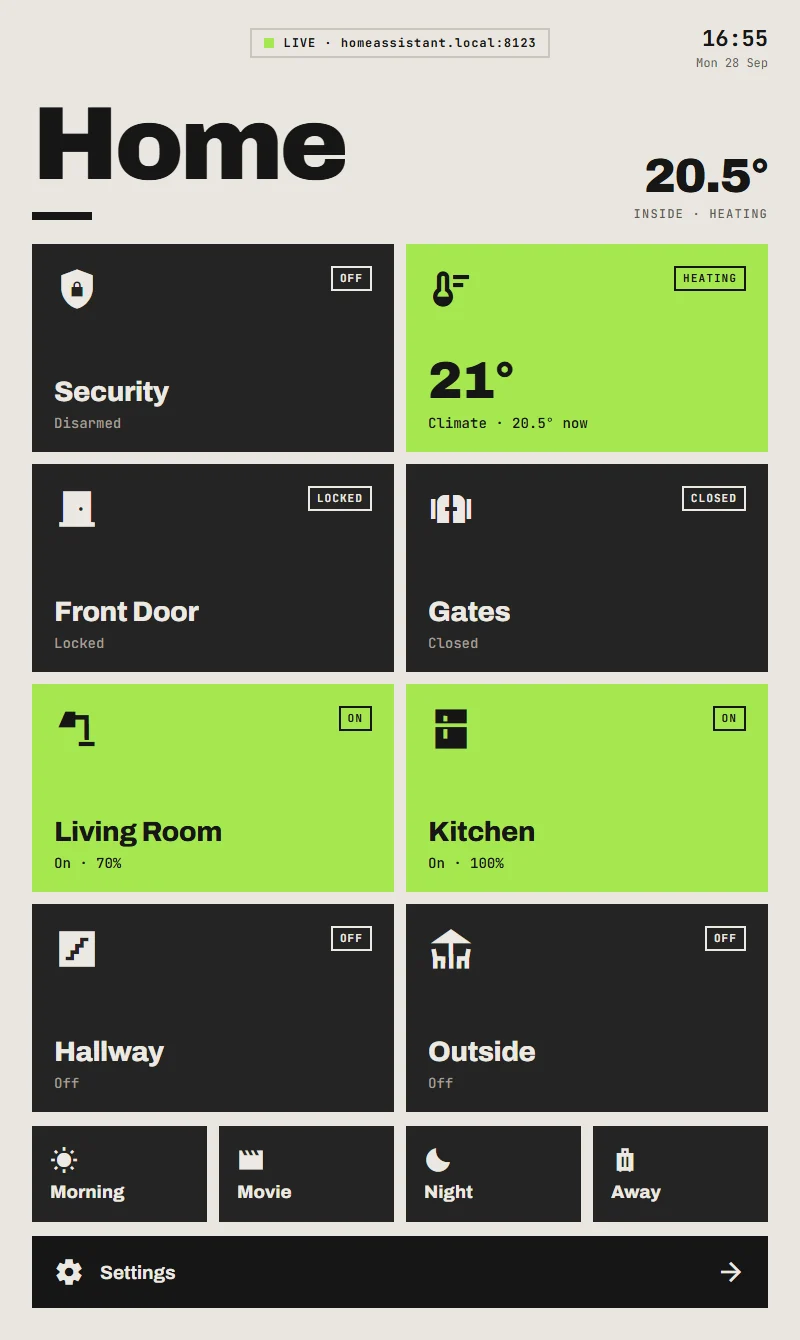
ARIA shows you the things you need on the way in and out - the alarm, the heating, the gates, the porch lights - big, clear and one tap away.
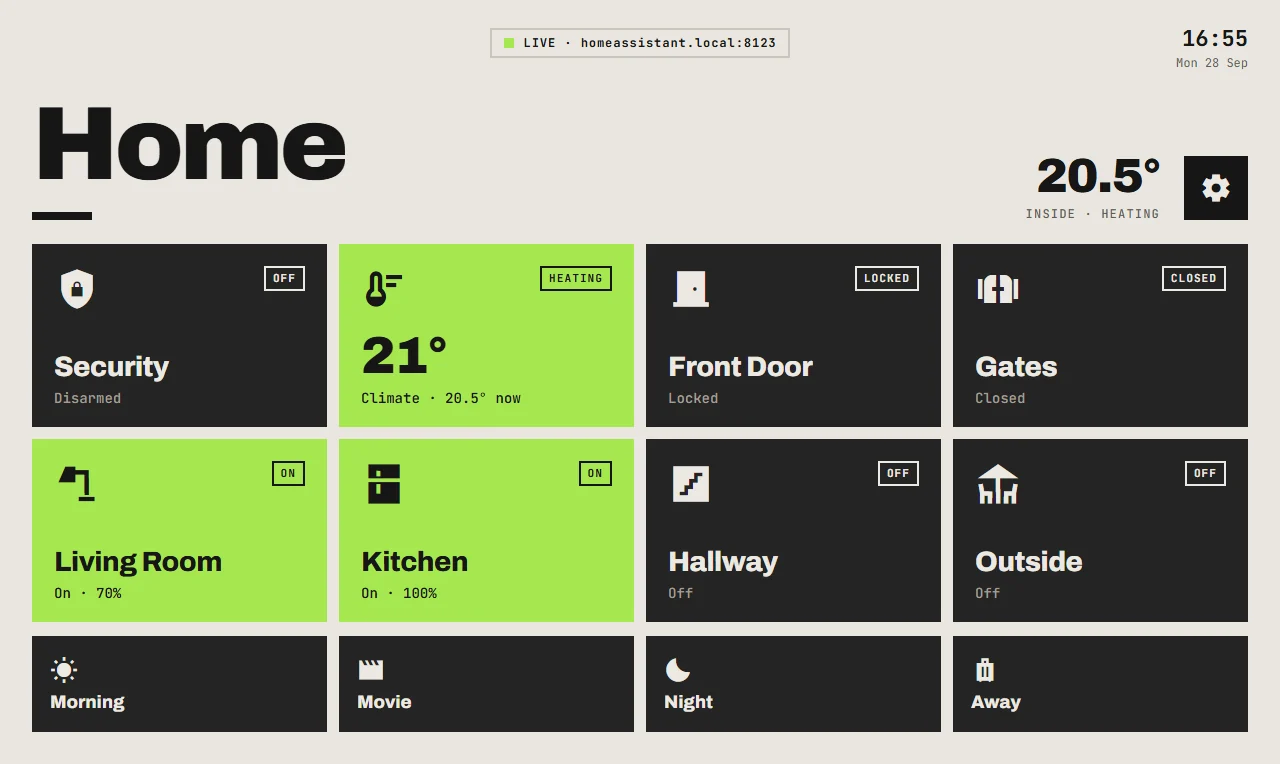
See it in action
Smart where it counts
Smart arming with a built-in pre-check
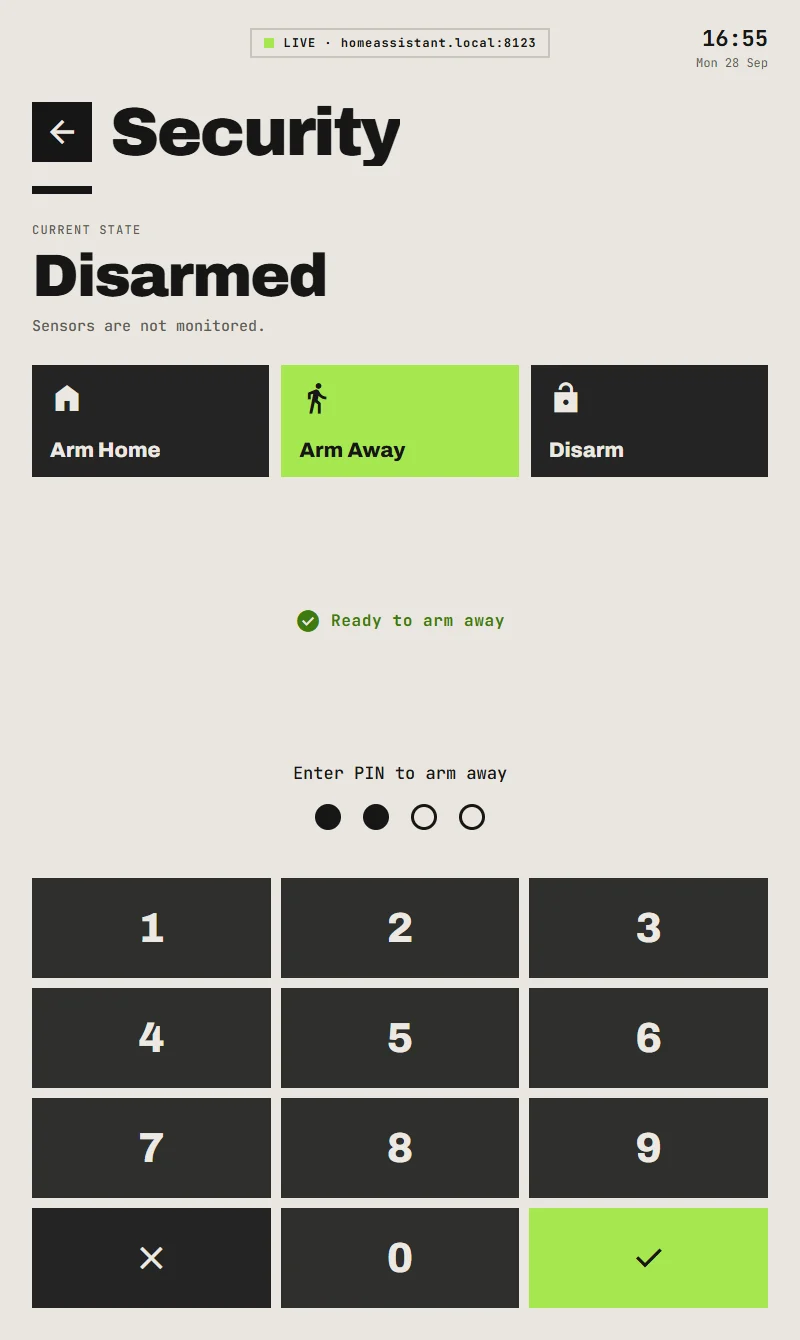
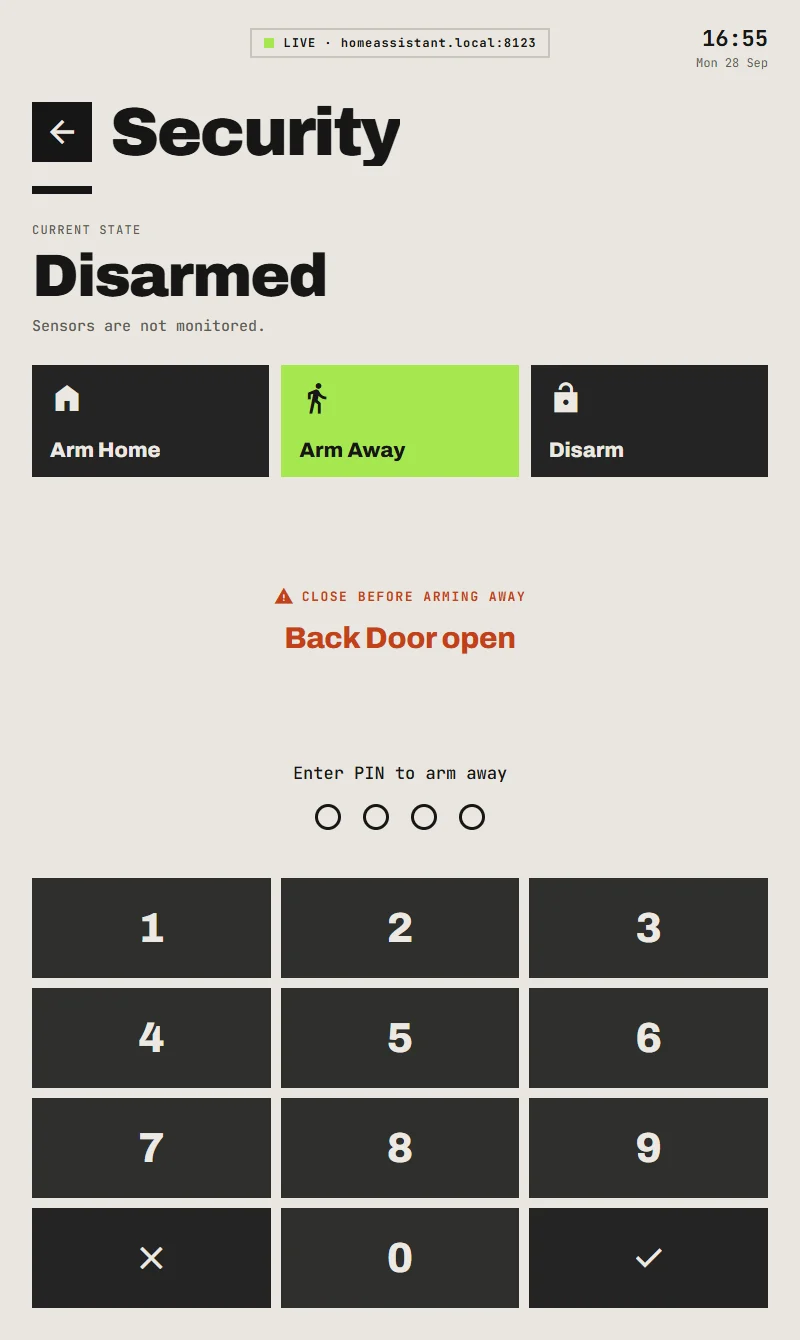
Choose Away or Home and ARIA checks every door and window for you - before you've typed a single digit. Back door open? It tells you right there, so you can close it and go.
Door left open on your way out? If it's still open when the countdown ends, ARIA flashes a big NOT ARMED and sounds a warning. No more driving off to a house that isn't protected. Offline sensors get flagged too, so nothing slips through the net.
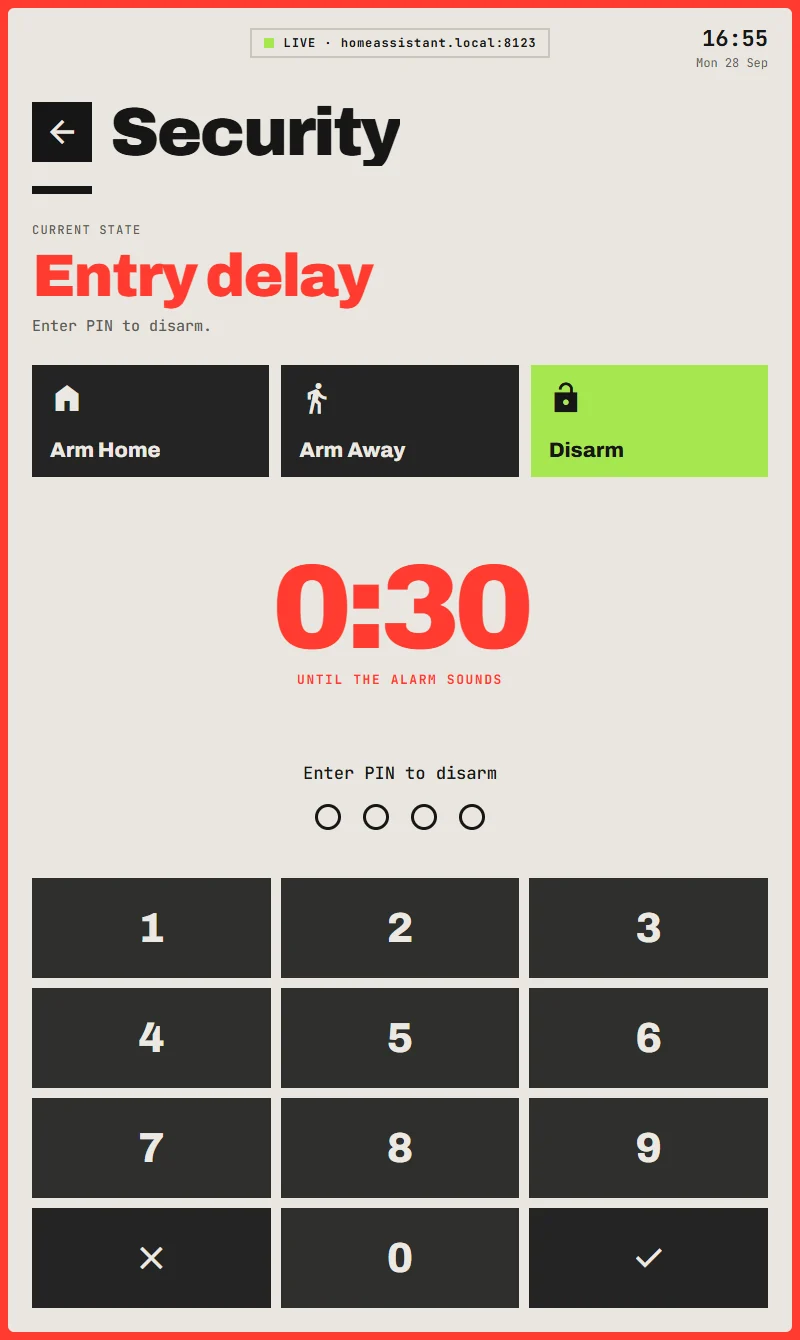
Walk in. Tap your code. Done.
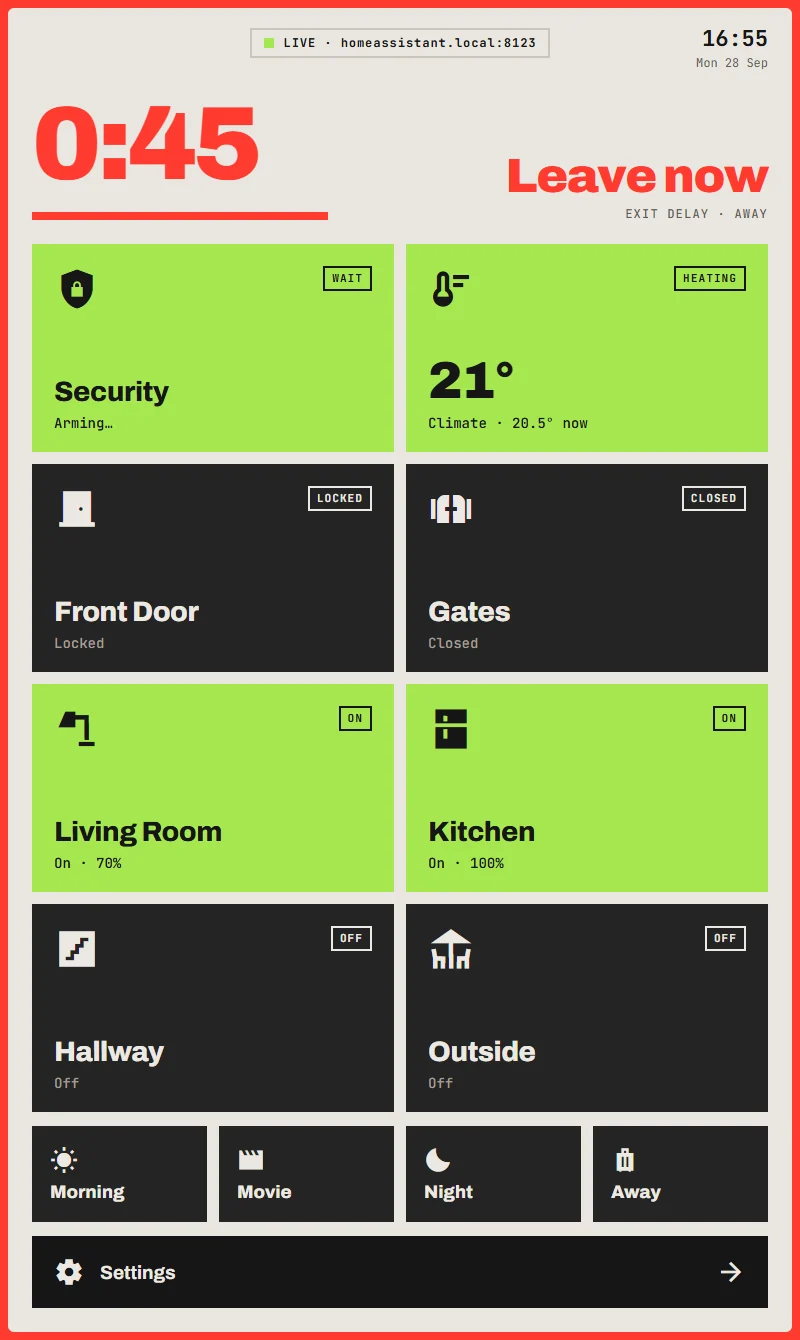
Home with the alarm set? The keypad's already waiting for you - big countdown, warning beeps and a red frame you can't miss. No fumbling for your phone, no digging through an app. Code, ✓, you're in.
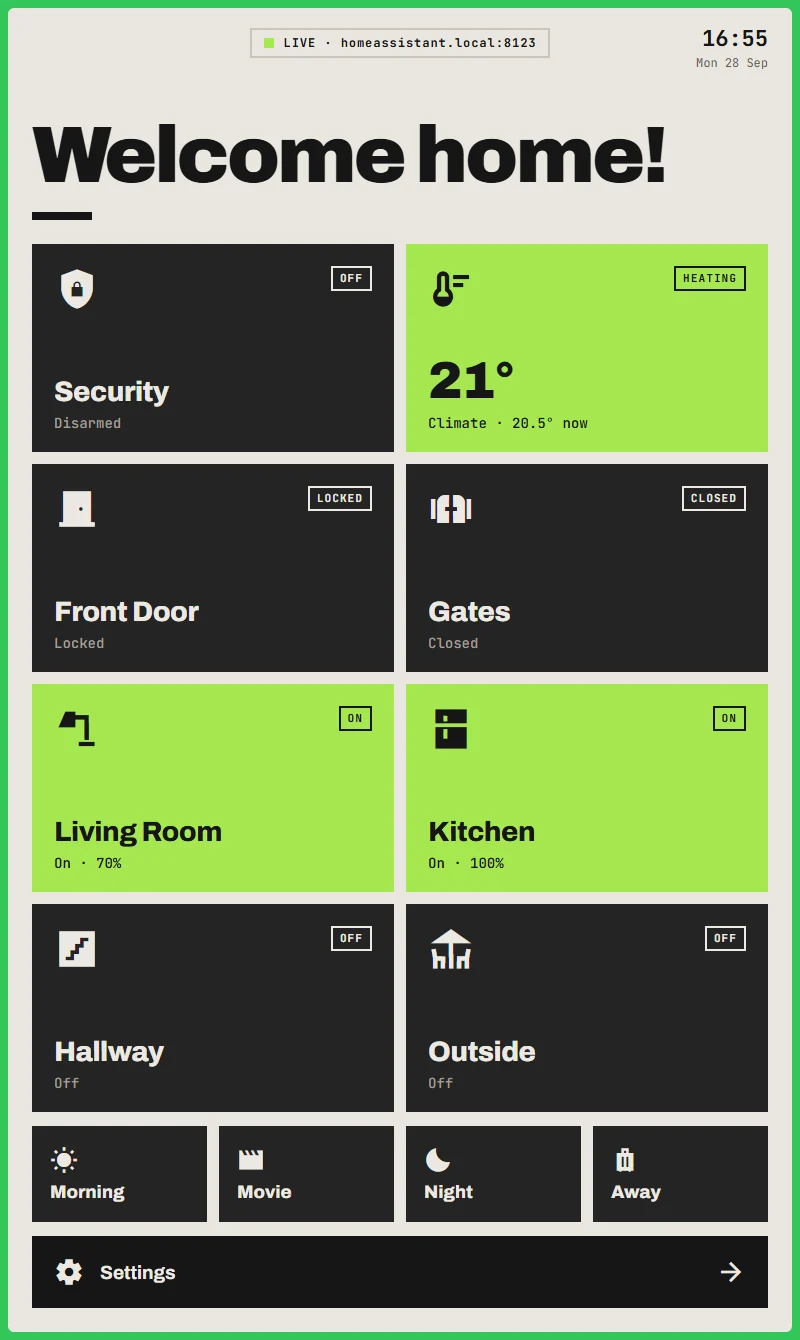
A proper welcome home
Disarm and you're greeted with a big "Welcome home!" - or "Good morning!" after a night in - plus a green flash and a cheerful double chirp. It chirps even when you disarm from your phone.
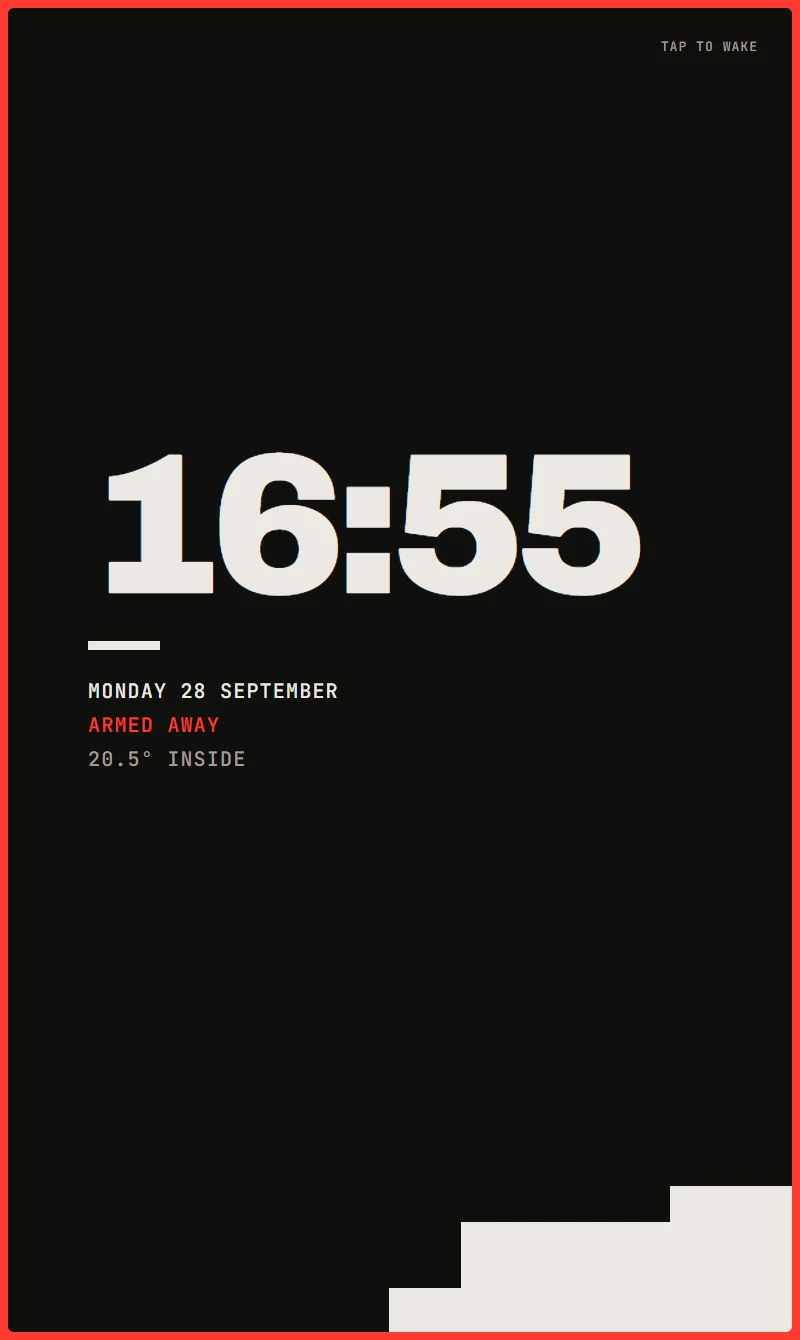
Alarm on? A bold red or orange frame says so at a glance, from right across the hall.
Packed with features, not clutter.
Sounds like the real deal
Crisp key clicks, countdown beeps that speed up as time runs out, a solid beep when it arms and a happy double chirp when it disarms. Prefer peace and quiet? Alarm sounds only, or none at all.
Tamper-proof
Five wrong codes and the keypad locks - for longer every time - and Home Assistant can ping your phone. Lock Settings behind a PIN, and the Back button never leaves the panel.
Every mode. Every zone.
Home, Away, Night, Vacation - you get a button for every mode your alarm has. Two alarms? Three heating zones? Each tile gets its own screen.
Make it yours
Pick your accent colour, colour individual tiles, rename them, swap icons and put your house name up top.
Day and night, automatically
Bright by day, dark after sunset - following your Home Assistant's own sunrise and sunset. At night it dims right down to a soft glow.
Built to run 24/7
Burn-in protection that moves the screensaver every few minutes, a quiet refresh in the small hours and automatic reconnects. If Home Assistant goes offline, the tiles grey out, so you always know where you stand.
Awake before you reach the door
Link your porch motion sensor and the screen's on and ready as you walk up. Want it dark in between? Let the screen sleep - it switches itself back on whenever it's needed.
Power-smart
Get a warning if it's unplugged or the charger fails, and keep the battery healthy with a smart plug.
Tiles that tell you more
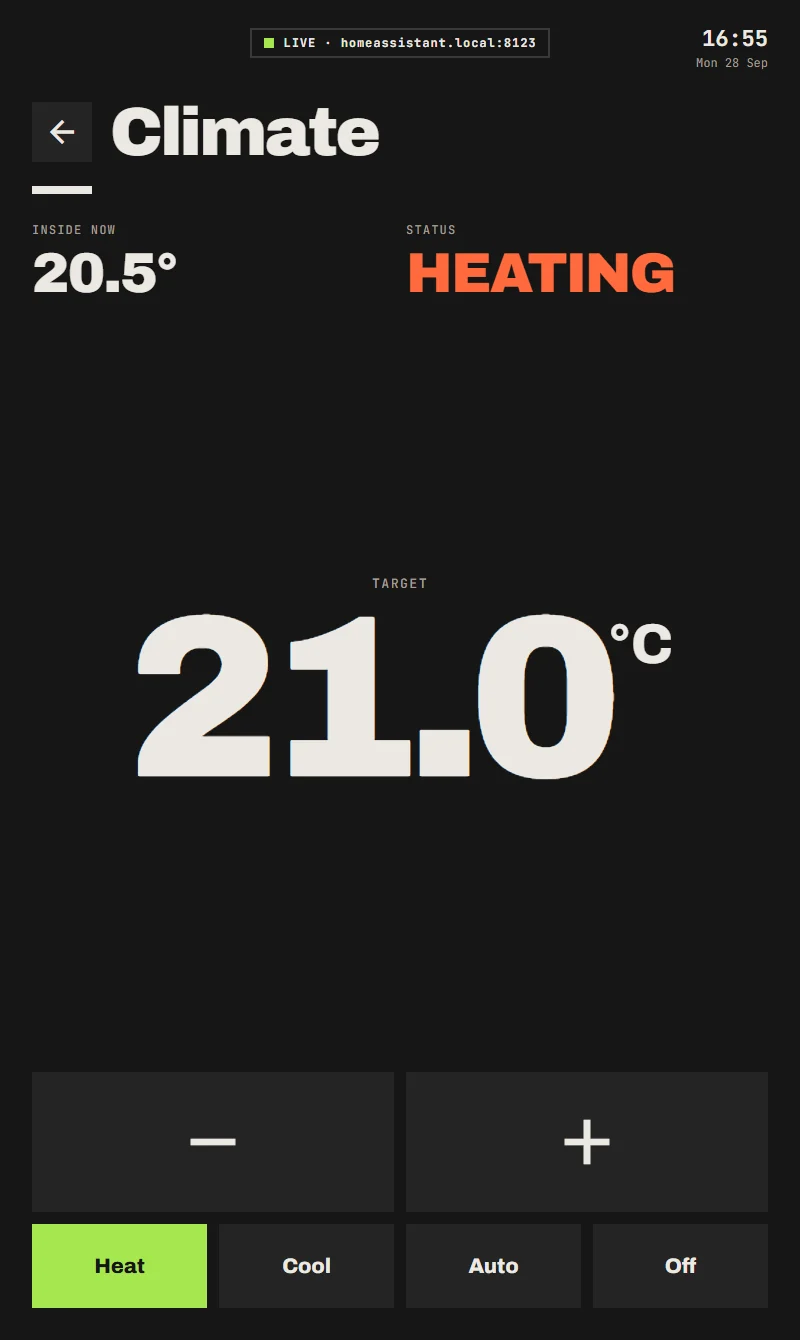
Heating shows its target and lights up while it's working. Thermometers show the temperature, big and bold. Doors and windows turn orange when they're open.
Fits your home
Heating only, or heating and cooling. °C or °F. 12 or 24-hour clock. Portrait or landscape. Tablet or phone. It just works.
Got an old tablet in a drawer? Put it to work!
That forgotten tablet (or old phone) is about to become the most useful screen in the house. If it runs Android 10 or newer - most from 2019 onwards - it's ready to go. Mount it by the door, stand it on the hall table or prop it on a shelf, plug it in and you're done.
- No new hardware. Put what you already own to work.
- Battery-friendly. With a smart plug on the charger, ARIA keeps it between 30% and 80% instead of sitting at 100% all day.
- Any way up. Portrait on the wall, landscape on a stand - the layout adapts.
Up and running in minutes
- Install ARIA on your tablet or phone.
- Sign in. ARIA finds your Home Assistant on the network - just log in. No tokens to copy, and two-step verification works as normal.
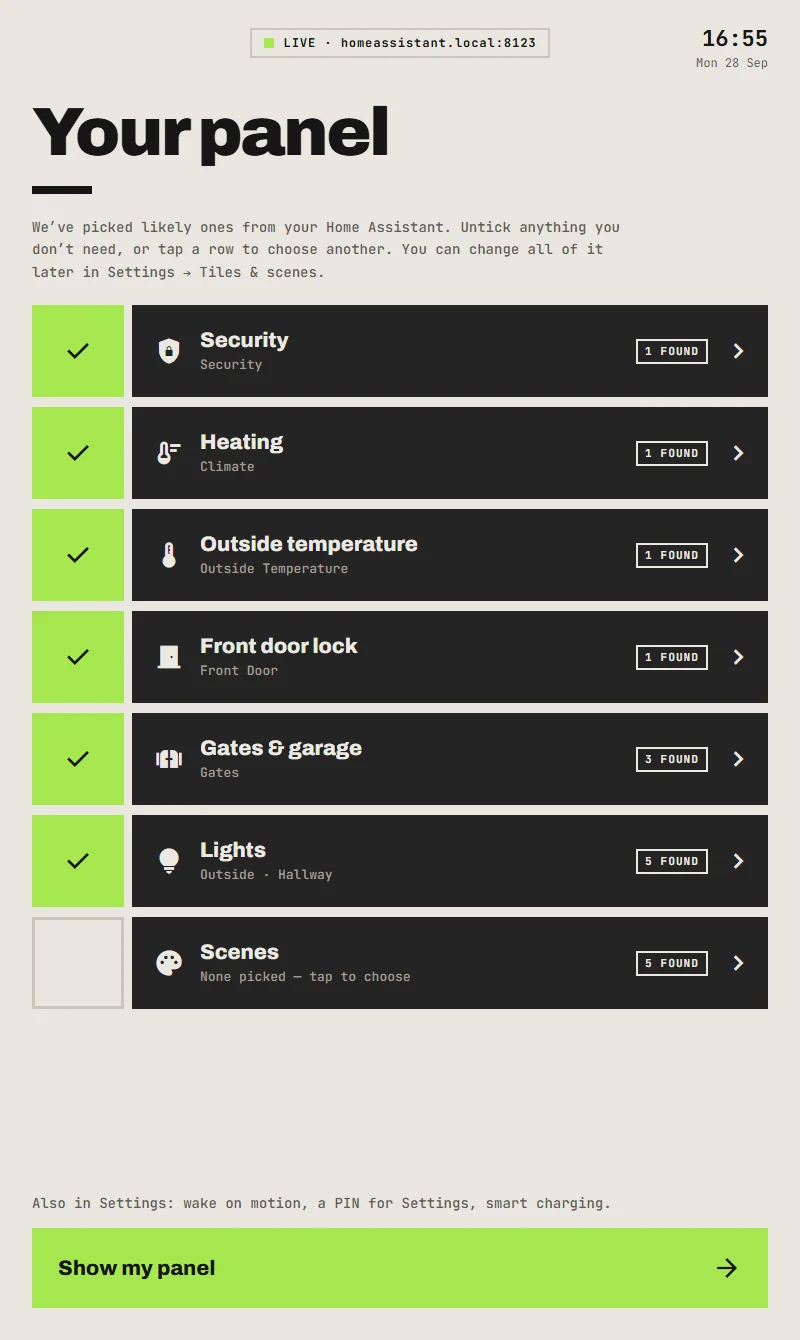
- Pick your tiles. ARIA suggests them from what your Home Assistant already has. Keep them, swap them, done.
Private by design. ARIA talks only to your own Home Assistant, on your own network. No ARIA account. No cloud. No tracking.
What you need
Home Assistant on your home network, and an account for the panel to sign in with (a separate user for the tablet is a good idea). Then, for each tile you want:
| Security | An alarm in Home Assistant (alarm_control_panel).
We recommend Alarmo (below): exit and entry countdowns, "close the back door first" warnings, and a
warning if it didn't arm. |
|---|---|
| Heating / cooling | A thermostat (climate) - central heating, radiator valves, a heat
pump or air conditioning.Heating only, cooling only, or both. |
| Door lock | A smart lock (lock). |
| Gates, garage, blinds | A cover (cover), or a relay switch or button for the gate
(switch, button). |
| Lights and switches | Any light, switch, fan or helper toggle (light,
switch, fan, input_boolean). |
| Temperatures and sensors | A temperature or humidity sensor (sensor), or a door,
window or motion sensor (binary_sensor).Shown as readings; an open door shows up in
orange. |
| Scenes | Home Assistant scenes or scripts (scene, script). |
| Wake on motion | Optional: a motion sensor near the door (binary_sensor). |
| Smart charging | Optional: a smart plug for the tablet's charger (switch). |
Don't have some of these? Leave those tiles out - everything else works the same.
Setting up an alarm with Alarmo
Alarmo is a free add-on for Home Assistant that turns the door, window and motion sensors you already have into a proper alarm, with codes and exit and entry delays. ARIA works best with it. In short:
- Install it. In HACS (the Home Assistant Community Store), search for Alarmo, download it and restart Home Assistant. Then go to Settings → Devices & services → Add integration → Alarmo. It appears in the sidebar.
- Choose your modes. Under General, switch on the modes you'll use - usually Away (everyone out) and Home (doors and windows only, for nights in) - and set the delays, e.g. 60 seconds to leave and 30 seconds to disarm when you come in.
- Add your sensors. Under Sensors, add each door, window and motion sensor and tick the modes it guards. Motion sensors inside: Away only.
- Set up the door you use. For that door only, turn on Use exit delay and Use entry delay (and Arm after closing, to arm as soon as it shuts behind you). Every other door and window must be closed before you can arm.
- Add a code. Under Codes, add a user with the code you'll type on the panel.
- Pick it in ARIA. The set-up checklist finds Alarmo for your Security tile.
Already using another alarm integration? That works too - ARIA arms and disarms any Home Assistant alarm. Alarmo just adds the countdowns and warnings.
Questions
- How much is it?
- £2.99, once - less than a coffee. It's free to download, with a demo you can play with for as long as you like, and free for 7 days on your own Home Assistant. Then one small purchase unlocks it for good: no subscription, no ads, and it covers every panel on your Google account.
- Does it need the internet?
- No. ARIA talks to Home Assistant over your home network. When you first sign in, Home Assistant looks up this page to confirm it's really ARIA; if it can't, signing in still works.
- What if I don't have an alarm, or heating?
- Leave those tiles out. Use it for lights, gates and scenes - whatever you have.
- Can I have more than one?
- Yes - one by the front door and another by the back, for example. Each is set up on its own.
- Will it work with my Home Assistant?
- Any recent Home Assistant, as long as the tablet can reach it - at its address on your network, or your Nabu Casa address.
- Does it work on phones?
- Yes. Any Android phone or tablet on Android 10 or newer.
- Is my data private?
- Completely. There's no ARIA account, no cloud and no tracking - see the privacy policy.
Signing in
When you sign in, Home Assistant shows this address as the app asking for access. That's ARIA. Your password is typed into Home Assistant's own login page and never passes through ARIA or this website.